Forecasting
Easily build your forecasts
Model your scenarios and adjust assumptions to build clear, fast and perfectly structured forecasts.
4.9 / 5
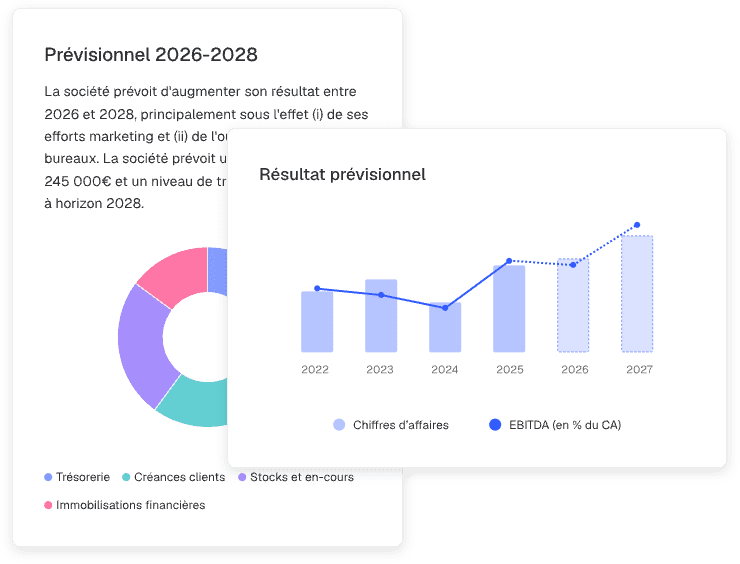
Projections and business plans that drive better decisions
Stronger anticipation
Gain a clear view of your business forecasts to make the right decisions at the right time.
Tailor-made forecasts
Assumptions, time frames, granularity, payment terms... everything adapts to your methodology and your needs.
Operational performance
Less Excel, fewer errors and no re-entry: your forecasts are easy to build and update automatically.
One solution for all your forecasting needs
Business plans for company creation
Build solid projections: assumptions, costs, margins, investments... everything can be adjusted in just a few clicks to simulate reliable business forecasts.
Budget creation for reporting
Build operating forecasts from historical data by applying growth rates, averages, and more, and easily create multiple scenarios.
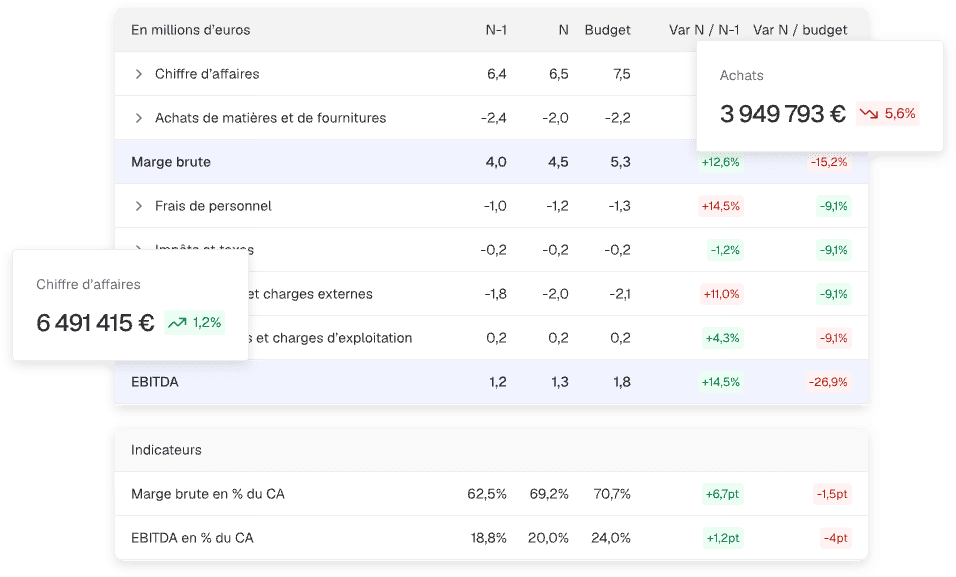
Real-time variance tracking
Compare current performance with historical and budgeted data. Everything is fully automated, with no manual operations required.
Cash flow forecasts connected to budgets
Feed your cash flow forecasts by linking them to your budget and applying payment and collection rules, ensuring reliable and continuously updated cash monitoring.
They use Finthesis business plan and forecasting modules
Reviews
“We built our reporting and forecasting in Finthesis to compare monthly actuals, forecasts and reforecasts. This guides our year-end outlook while saving significant time and reducing the risk of errors.”

Your forecasts in 3 steps
Step 1
Budget creation
Generate operating budgets from historical data or from scratch by defining your business assumptions.
Step 2
Cash flow configuration
Set up collection and payment terms to automatically generate linked cash flow forecasts.
Step 3
Forecast analysis and monitoring
Access your forecast financial statements and easily compare actuals to budgets throughout the year.
Frequently asked questions
Do forecasts adapt to all types of businesses?
Yes, Finthesis works equally well for service companies, startups, industrial or commercial businesses. Assumptions and indicators are customizable based on each business model, seasonality and cash cycles.
Can I easily update my assumptions in the business plan?
Absolutely. In the Business Plan module, you can easily adjust prices, margins, expenses, investments and payment terms. All changes are instantly reflected in your forecast financial statements.
What is the difference between the business plan module and the reporting budget module?
The business plan module is dedicated to company creation (though you can start from an existing balance sheet). You define business assumptions and generate forecast financial statements (income statement, forecast balance sheet, cash flow statement, etc.) that can then be formalized in a report. The reporting budget module, on the other hand, allows you to integrate forecasts based on historical data (adjustable as needed) and compare them against actuals during the year. These budget forecasts can also be converted into cash flow forecasts within the reporting module, always with a year-to-date comparison objective.
Can I create multiple scenarios to compare options?
Yes, you can duplicate your assumptions and test as many scenarios as needed: optimistic, conservative, realistic... Each scenario is instantly comparable to help you quickly identify the most relevant option.
Does the platform offer visuals suited for comparing actuals vs forecasts?
Cards, gauges, bar charts and more - our library offers a wide range of visuals to easily display actual vs budget comparisons.
Can variances between forecasts and actuals be tracked easily?
Yes, Finthesis includes a dedicated module that automatically compares projections with actual data and highlights variances. You immediately spot deviations, identify trends and adjust decisions to stay aligned with your goals.
Is it possible to build my payroll forecasts, employee by employee?
Absolutely. In the Social module, you can easily simulate personnel movements, apply salary increases, calculate related contributions... all on an individual or mass basis.

Ready to leverage your data?
Get your first insights in seconds
You haven't seen everything yet
Reporting
Create your financial analyses and benchmarks in no time, without manual formulas, ready to share.
Discover
Cash management
Connect bank accounts, categorise transactions automatically and manage the cash position in real time.
Discover

Dashboards
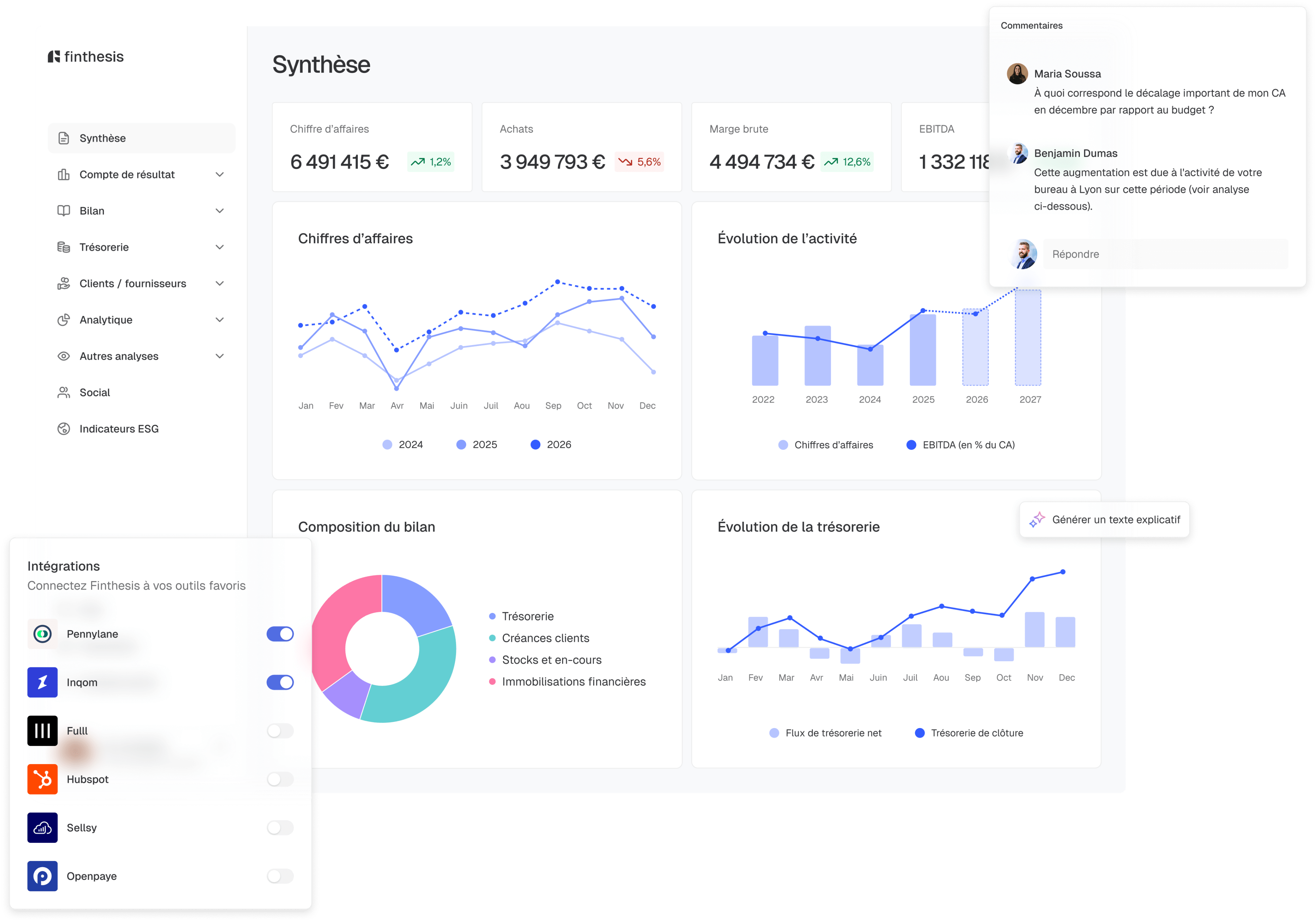
Turn your raw data into clear, visual analyses ready to be shared in seconds.
Discover