REPORTING
Automate your reporting
Produce your financial analyses and comparisons in no time and without manual formulas, ready to share.
4.9 / 5
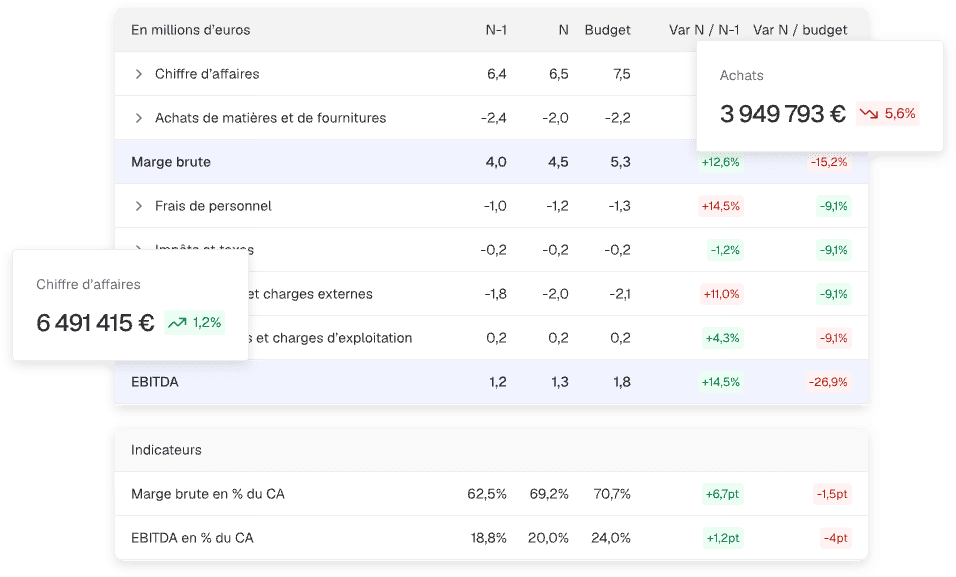
Faster, more reliable, and more actionable reporting
Time savings on analysis
Drastically reduce production cycles - save up to 10 days on your monthly reporting.
Reliability and consistency
Fewer handling errors, standardized and traceable reports from one period to the next.
Guaranteed compliance, lasting impact
Clear, visual reports enhanced with automated analyses for high-value-added deliverables.
What used to take hours
now takes minutes with Finthesis
Dynamic financial statements
Balance sheet, P&L, cash flow... your financial statements update automatically and are available at any time in a dynamic format.
Budgeting and forecasting
Build forecasts, simulate scenarios and project outcomes directly from your accounting data.
Monthly comparisons
Easily compare historical data, current month figures and your budget, whether for operations or cash flow.
Report customization
Adjust the theme and colors of your reports to match your firm's branding and select the sections to present based on your needs and those of your clients.
Multi-format export and sharing
Share your reports in PDF, Word, PowerPoint or directly via the platform with your clients (with access configuration).
Analytical data processing
Finthesis enables you to leverage and interpret your analytical data for ever more precise decision-making support.
They use Finthesis reporting
Reviews
“Where I used to deliver firm reporting between the 15th and the 20th of each month, today I'm operational between the 4th and the 5th.”

Your reporting in 3 steps
Step 1
Data connection / import
Connect your accounting software via API or import your FEC and general ledgers.
Step 2
Processing and structuring
Finthesis automatically analyzes, consolidates and structures your data into relevant tables, charts and indicators.
Step 3
Export, sharing, distribution
Export reports for your clients or give them direct access to the platform.
Frequently asked questions
Which tools can I connect to Finthesis via API?
Finthesis integrates seamlessly with your usual tools to automate the collection of your data.
And if your software is not yet connected via API, you can still import your FEC files or General Ledgers in just a few clicks.
- Accounting data: Odoo, Fulll, Pennylane, Sage, ACD, Inqom, My Unisoft, Cegid Quadra, Tiime, Cegid Loop, and many more to discover on our Integrations page.
- Payroll data: Openpaye, Wagyz, Yeap... Discover all other connections on our Integrations page.
And if your software is not yet connected via API, you can still import your FEC files or General Ledgers in just a few clicks.
What types of reports can I export from the platform?
Finthesis allows you to export several report formats depending on your needs:
You can also add custom pages to monthly and annual reports to include your own comments or analyses.
- Annual activity reports: ideal for year-end reviews and results presentations.
- Monthly activity reports: summaries of key figures, comparisons and monthly forecasts to track business performance.
- Custom reports: fully configurable, you choose which tabs and sub-sections to display.
You can also add custom pages to monthly and annual reports to include your own comments or analyses.
Can I build budgets in Finthesis?
Yes, absolutely! You can create your budgets:
Once the budget is established, you can also create a forecast combining actual and projected data to refine your analyses.
- Based on an actual profit and loss statement,
- From an Excel file,
- Or starting from a blank base.
Once the budget is established, you can also create a forecast combining actual and projected data to refine your analyses.
Can I build cash flow forecasts?
Absolutely. The income statement budget serves as the basis for generating your cash flow forecasts.
You simply define your payment rules and terms, and Finthesis automatically applies these settings.
You can then:
You simply define your payment rules and terms, and Finthesis automatically applies these settings.
You can then:
- Project the settlement of payables and receivables,
- Add bank loans, directly integrated into the forecasts.
Can I value a company using Finthesis?
Yes, the reporting module includes a business valuation tool combining several approaches:
You can weight each method according to your criteria and generate a complete valuation report directly from the platform.
- Net asset value method,
- Multiples method,
- Discounted cash flow method.
You can weight each method according to your criteria and generate a complete valuation report directly from the platform.
Is analytical accounting integrated into Finthesis?
Yes, if your accounting entries include analytical data, it is automatically retrieved during imports (API or general ledger).
If not, you can create your own analytical categories in the reporting module to allocate costs and revenues by activity, product or service.

Ready to leverage your data?
Get your first insights in seconds
You haven't seen everything yet
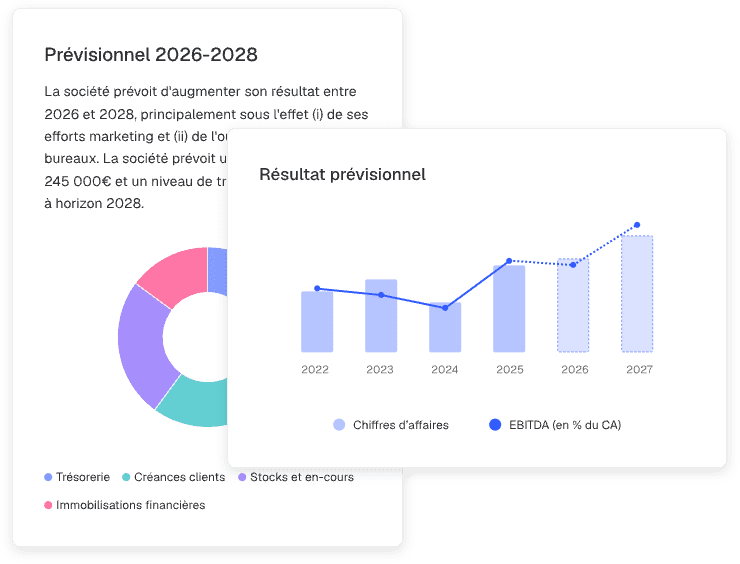
Forecasts
Model your scenarios and adjust your assumptions for simple, fast, and perfectly structured forecasts.
Discover
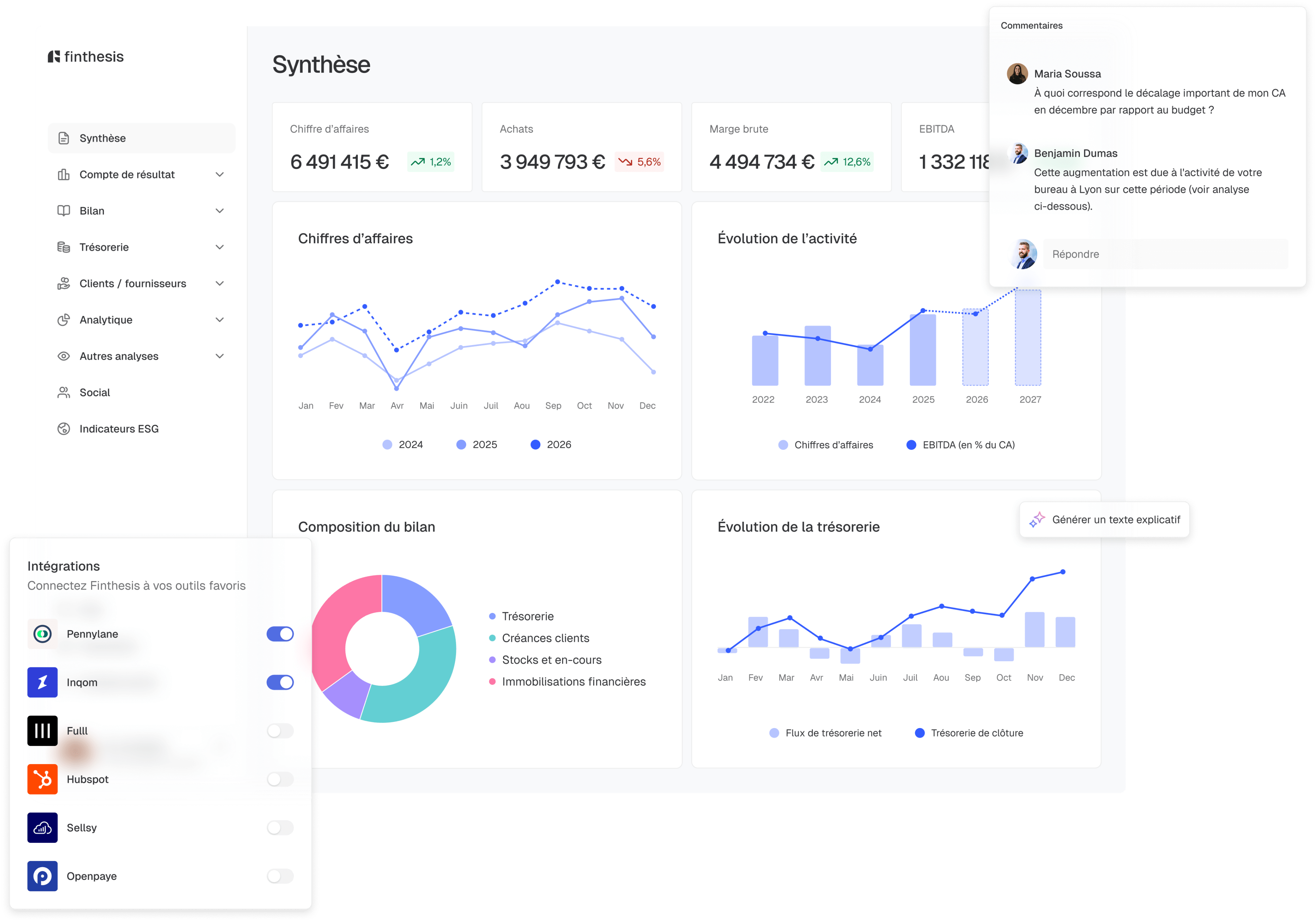
Cash management
Connect bank accounts, categorise transactions automatically and manage the cash position in real time.
Discover

Dashboards
Turn your raw data into clear, visual analyses ready to be shared in seconds.
Discover