CASH MANAGEMENT
Manage your cash position in real time
Connect your clients' bank accounts, automate transaction categorisation and manage their cash position.
4.9 / 5Your clients' cash position, finally under control
Real-time visibility
Centralise bank accounts and track how the cash position evolves by day, by week or by month.
Categorisation ready from day one
Transactions sorted by type thanks to AI-generated rules that you can customise.
Decisions made with confidence
Forecast your cash position, see where the month will land and anticipate gaps between plan and actuals.
Everything you need to master cash management
Bank aggregation
Connect your clients' bank accounts and centralise transactions automatically, with no accounting import and no connection to their accounting software.
Cash flow tracking
See your consolidated balance, cash in, cash out and flows from a single dashboard, with daily, weekly or monthly detail.
Smart AI categorisation
From the very first connection, Finthesis analyses bank labels and automatically generates categorisation rules tailored to each company.
Forecasts and scenarios
Build several scenarios, adjust your assumptions and see where the month will land to anticipate how the cash position will evolve.
Automatic comparisons
Automatically analyse the gaps between your forecasts and actuals, understand where they come from and steer your decisions with more precision.
Shared tracking with your clients
Give them a clear view of their cash position to make conversations easier, strengthen your support and open up new advisory work.
They manage their cash position with Finthesis
Reviews
“We wanted to track our spending across analytical items with dedicated budget envelopes, and what we really liked about Finthesis is how simple it is to use.”

Your cash position in 3 steps
Step 1
Connect the bank accounts
Link your clients' banks in a few clicks. Transactions are then synchronised automatically.
Step 2
Finthesis categorises your transactions
Transactions are sorted by type automatically, thanks to the smart rules suggested from the very first connection.
Step 3
Forecast, compare and decide
Build your scenarios, track where the month will land and automatically compare plan against actuals to make the right decisions.
Frequently asked questions
How are my bank accounts connected?
Accounts are linked through a secure banking aggregator, Bridge. Transactions are then synchronised automatically, and you can trigger a manual synchronisation at any time.
Can Finthesis initiate payments?
No. The module works in read-only mode exclusively. It allows neither transfers nor direct debits, which guarantees a high level of security.
Can I change the automatic categorisation?
Yes. The suggested rules can be customised, extended and applied retroactively to your history.
How does the AI use my data?
The AI only analyses labels stripped of sensitive information before processing. It can also be disabled at your organisation level.
Do I need to import my accounting data?
No. No accounting import, no FEC file and no connection to your accounting software are required. The module works entirely on its own.
How is this different from the Finthesis Business Plan?
The Cash Management module is designed for day-to-day cash management and short-term forecasts. It complements Reporting and Business Plan projects rather than replacing them.

Ready to leverage your data?
Get your first insights in seconds
You haven't seen everything yet
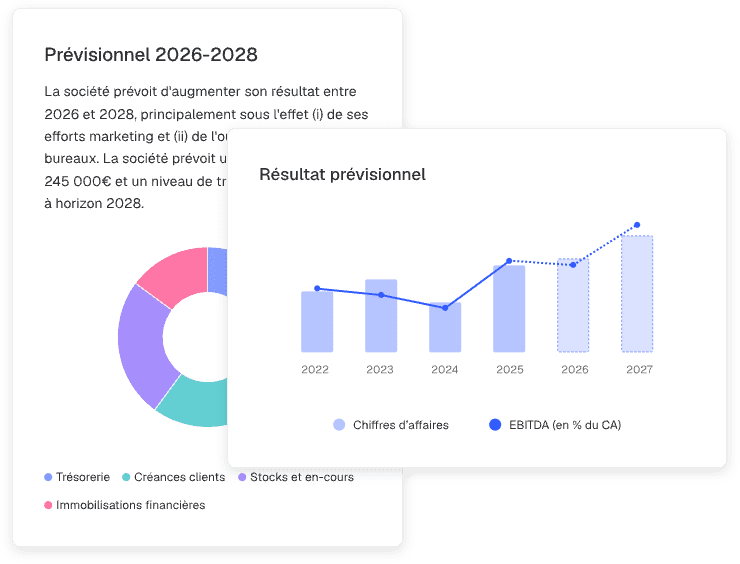
Forecasts
Model your scenarios and adjust your assumptions for simple, fast, and perfectly structured forecasts.
Discover
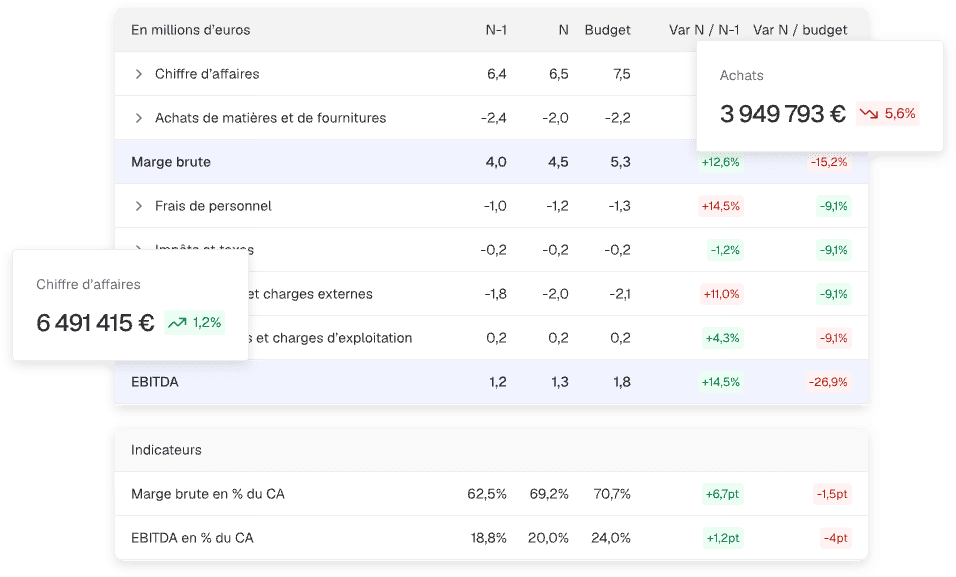
Reporting
Create your financial analyses and benchmarks in no time, without manual formulas, ready to share.
Discover

Dashboards
Turn your raw data into clear, visual analyses ready to be shared in seconds.
Discover